










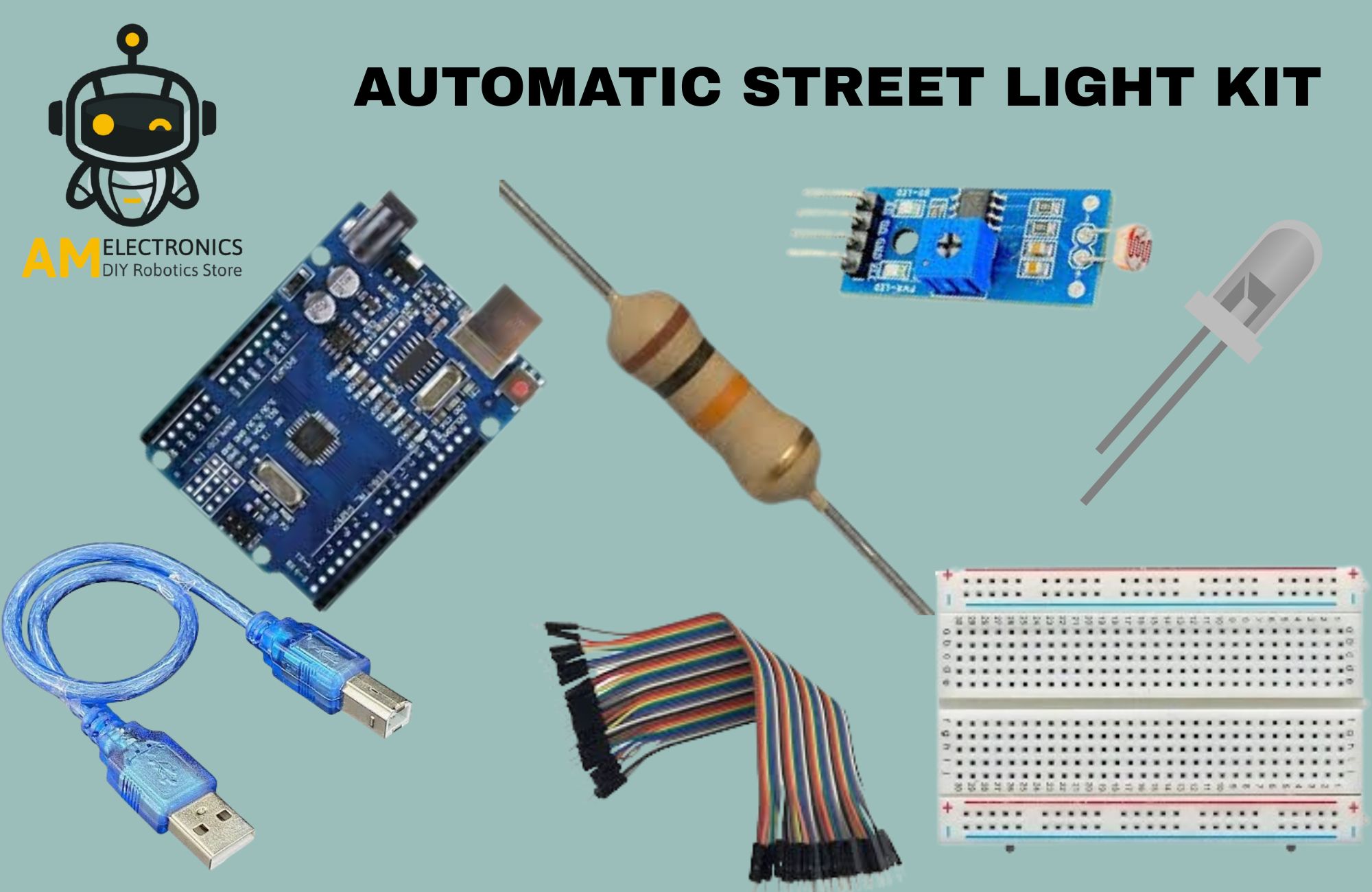
Note: Image shown is a representation only.
Automatic Street Light Kit
Specifications
-
Controller: Arduino UNO (ATmega328P)
-
Sensor: LDR (Light Dependent Resistor)
-
Output: High Bright LED (Auto ON/OFF)
-
Working Principle: Light-based automatic switching
-
Connection Type: Breadboard (No soldering)
-
Programming: Arduino IDE
-
Function: LED ON in dark, OFF in light
-
Expandability: Can be upgraded to relay or AC load control
₹398.00 (Incl. GST)
Need Help or Support?
Click Here
Free Delivery on all
orders above ₹1999
Unbeatable prices and monthly deals.
- Didn’t find what you are looking for?
CONTACT US
Payment Methods:

-
The Automatic Street Light Kit using Arduino UNO and LDR Sensor is a beginner-friendly DIY educational project designed for students, science exhibitions, engineering mini projects, and Arduino learning.
This project automatically turns the LED light ON at night or in darkness and switches OFF during daytime, similar to Smart Street Light Systems, Solar Street Lights, and Home Automatic Night Lamps.This kit helps students learn the working of sensors, analog input reading, decision-making logic, and code-based automation. It is also commonly searched as Arduino Automatic Light Project, LDR Sensor Based Night Lamp, Smart Lighting Arduino Project, Automatic LED ON/OFF System using Arduino, IoT Light Control Project, Arduino Beginner Kit with Sensor, or DIY Arduino Light Control Project.
Assembly is solder-free using a breadboard and jumper wires, making it ideal for school science fair projects, STEM education kits, robotics labs, and first Arduino programming practice.
Users can also later upgrade the same project to control relay modules, AC bulbs, or solar street light models, making this kit reusable and expandable.
Component Qty Arduino UNO SMD with cable 1 LDR Sensor 1 220 Resistor 1 led red 1 Breadboard 1 Jumper Wires (Male–Male) 10 CODE
// Automatic Street Light using Arduino + LDR Sensor Module
int sensorPin = 12;
int ledPin = 9; // LED output pinvoid setup() {
pinMode(sensorPin, INPUT_PULLUP);
pinMode(ledPin, OUTPUT);
}void loop() {
int sensorState = digitalRead(sensorPin);if (sensorState == LOW) {
digitalWrite(ledPin, HIGH); // Dark → LED ON
} else {
digitalWrite(ledPin, LOW); // Light → LED OFF
}delay(200);
}Applications
-
Automatic Street Light Model
-
Home Automatic Night Lamp
-
Solar Light Demonstration Model
-
Arduino Smart Lighting System
-
Sensor-Based Automation Experiment
-
Reviews
Clear filtersThere are no reviews yet.